Testing on iOS
Test your PurchaseKit integration locally without receiving real Apple webhooks.
StoreKit Configuration files
Xcode's StoreKit Configuration files let you test purchases in the simulator without connecting to App Store Connect. PurchaseKit automatically detects these purchases and completes them locally.
Create a StoreKit Configuration file
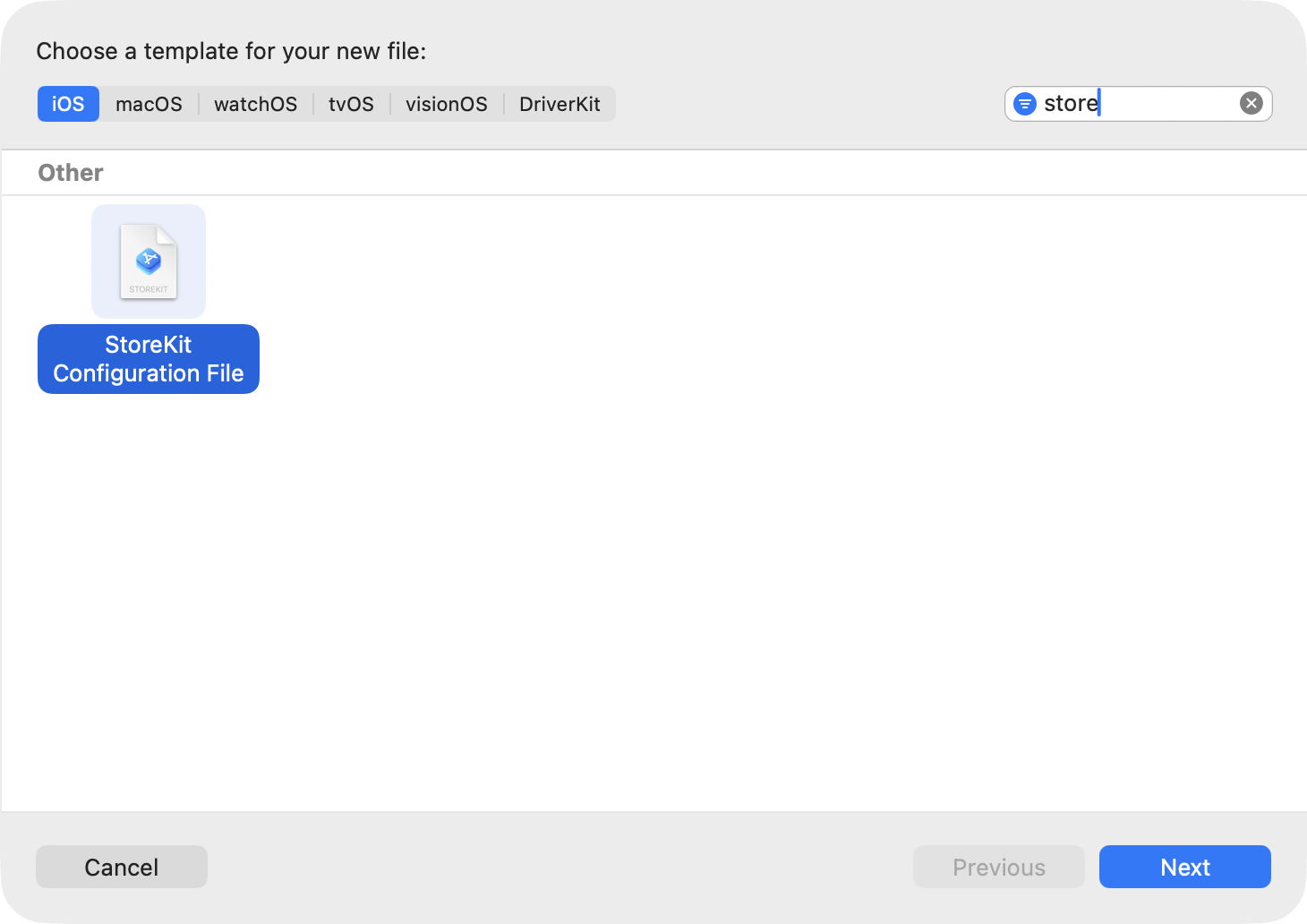
- In Xcode, go to File → New → File
- Search for "StoreKit" and select StoreKit Configuration File
- Name it (e.g.,
StoreKit.storekit) and save it in your project
Sync products from App Store Connect
- Open your
.storekitfile - Check Sync this file with an app in App Store Connect
- Select your app from the dropdown
This automatically imports your subscriptions and keeps them in sync.
Enable the configuration
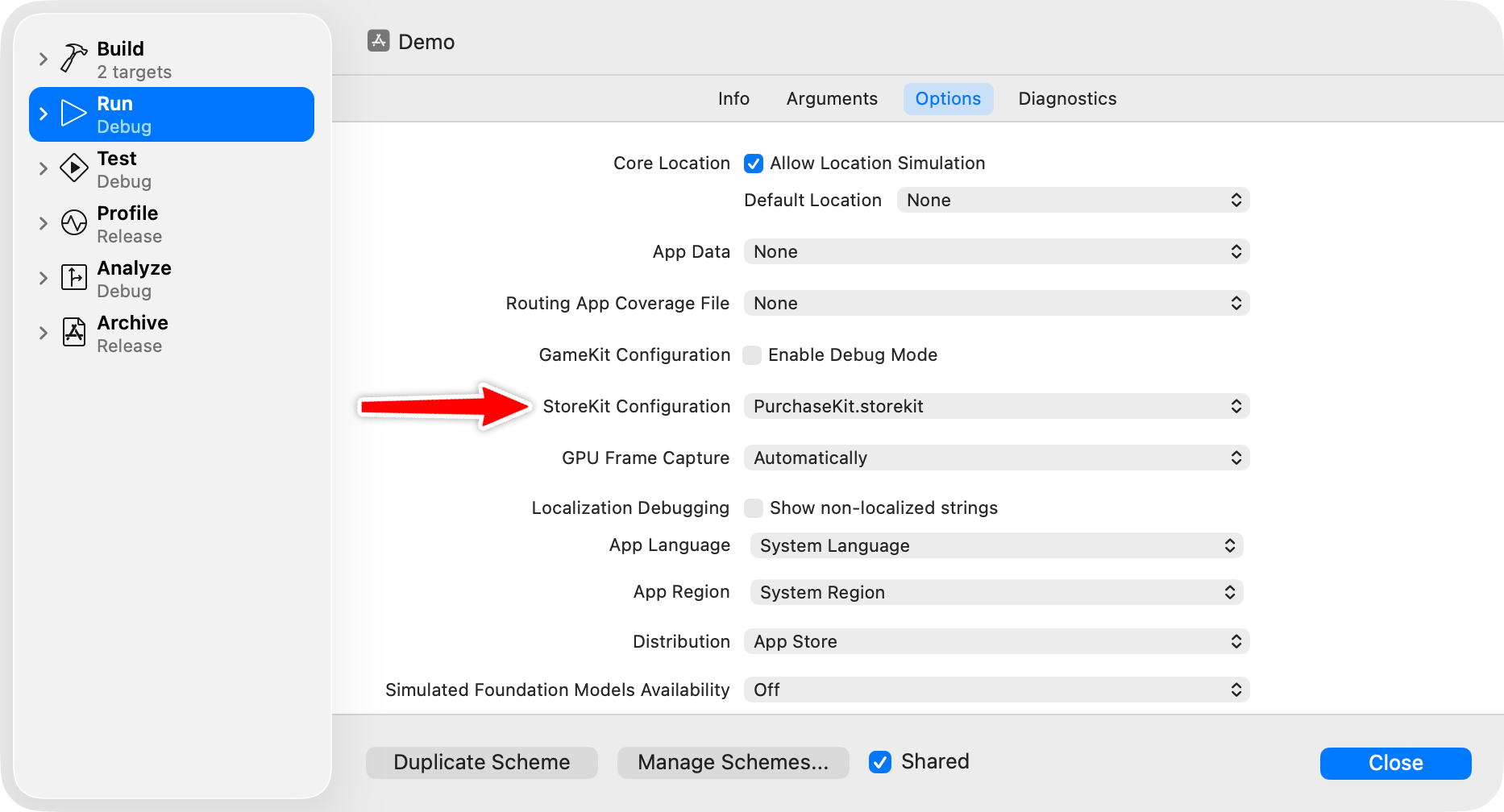
- In Xcode, go to Product → Scheme → Edit Scheme
- Select Run in the sidebar
- Go to the Options tab
- Set StoreKit Configuration to your
.storekitfile
Clear test purchases
To reset and test again:
- In Xcode, go to Debug → StoreKit → Manage Transactions
- Select and delete previous transactions
- Or use Debug → StoreKit → Clear Purchase History
Testing webhooks locally
To test real Apple sandbox webhooks locally:
Expose your local Rails app with Cloudflare Tunnel:
bash

cloudflared tunnel --url http://localhost:3000
In the PurchaseKit dashboard, set your app's Sandbox Webhook URL to your tunnel URL:
https://example-tunnel.trycloudflare.com/purchasekit/webhooks
Make a sandbox purchase on a real device (not simulator)
Watch the webhook arrive in your Rails logs
Sandbox subscription durations
Apple accelerates sandbox subscriptions for faster testing:
| Production duration | Sandbox duration |
|---|---|
| 1 week | 3 minutes |
| 1 month | 5 minutes |
| 2 months | 10 minutes |
| 3 months | 15 minutes |
| 6 months | 30 minutes |
| 1 year | 1 hour |
Test webhook script
The example Rails app includes a script to test webhook handling:
bin/test_webhook created    # Test subscription.created
bin/test_webhook updated    # Test subscription.updated
bin/test_webhook canceled   # Test subscription.canceled
bin/test_webhook expired    # Test subscription.expired