Getting started
PurchaseKit enables in-app purchases for Hotwire Native apps built with Rails.
Want to see it work first? Try the demo and make a test purchase in under 10 minutes.
It normalizes Apple and Google webhooks into a unified format, handles the complexity of subscription management, and provides drop-in bridge components for native purchases.
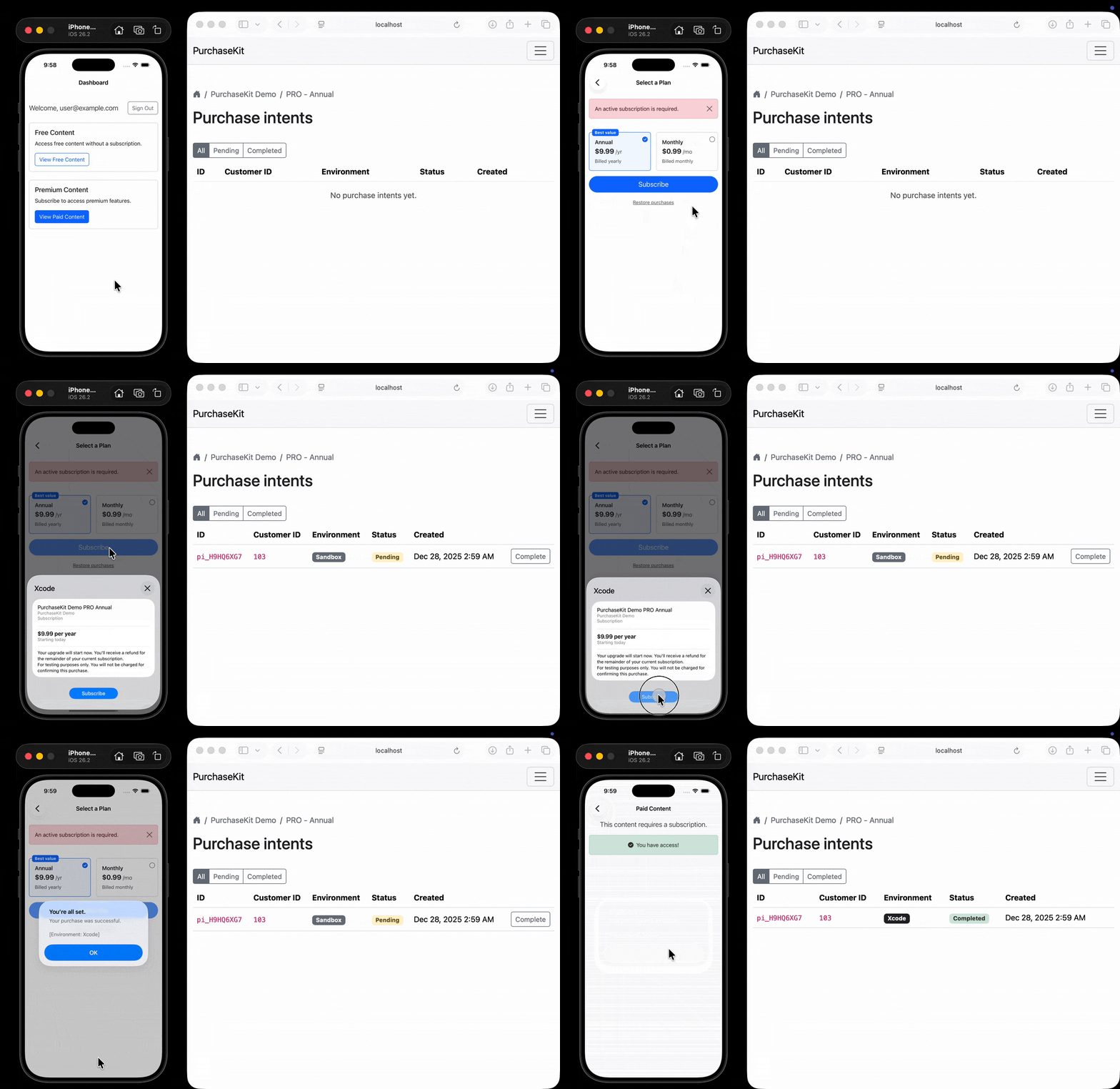
How it works
- Your Rails app renders an HTML paywall
- Hotwire Native displays it in your iOS/Android app
- User taps subscribe, triggering StoreKit/Play Billing
- Apple/Google send webhooks to PurchaseKit
- PurchaseKit normalizes the data and forwards to your Rails app
- Your app creates a subscription record and redirects the user
Quick start
- Rails setup - Choose your integration:
- Setup with Pay - Automatic
Pay::Subscriptioncreation (recommended) - Standalone setup - Custom subscription handling via callbacks
- Setup with Pay - Automatic
- Native setup - Add the package to your Hotwire Native app:
- iOS setup - Swift package for StoreKit
- Android setup - Kotlin library for Google Play Billing
- Store configuration - Create products and configure webhooks:
- App Store Connect - For iOS apps
- Google Play Console - For Android apps
- Testing - Test locally before going live:
- iOS testing - StoreKit Configuration files
- Android testing - License testers
Reference
- Webhook payload - Normalized payload format and event types
Prerequisites
- A Rails application with Hotwire Native
- An Apple Developer account (for iOS)
- A Google Play Developer account (for Android)
Support
If you run into issues, check the testing guides for iOS or Android, or reach out at [email protected].