App Store Connect webhooks
Connect App Store Connect to PurchaseKit so you receive real-time subscription updates (renewals, cancellations, refunds).
Bundle identifier
The bundle identifier connects your iOS app to App Store Connect and PurchaseKit.
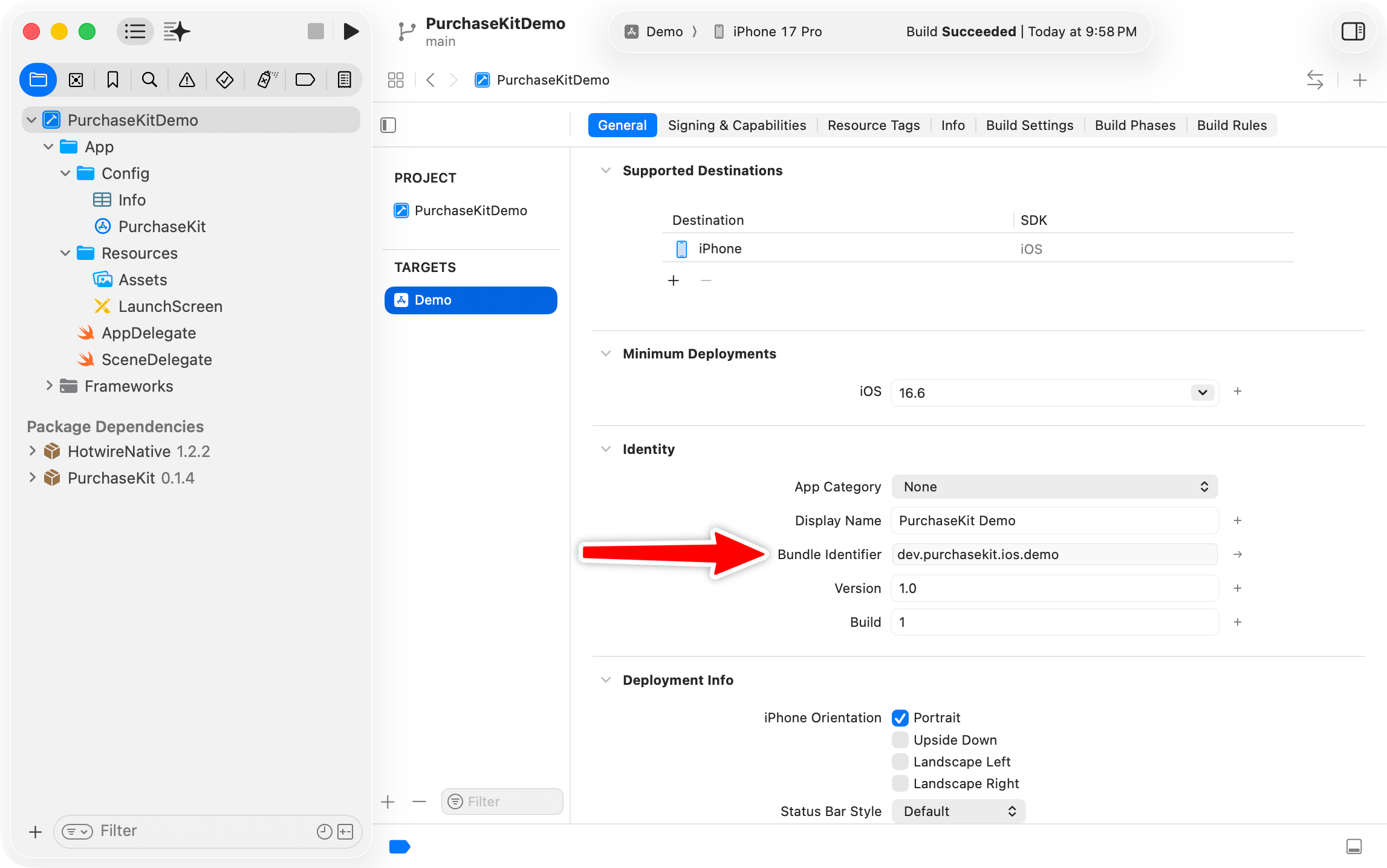
Find your bundle ID in Xcode
- Open your Xcode project
- Select your app target
- Go to the Signing & Capabilities tab
- Find Bundle Identifier
Verify in App Store Connect
- In App Store Connect, select your app
- Go to App Information
- Confirm the Bundle ID matches your Xcode project
Configure in PurchaseKit
- In the PurchaseKit dashboard, go to your app settings
- Enter your Apple Bundle ID
- Save changes
PurchaseKit uses the bundle ID to match incoming Apple webhooks to the correct app.
Server Notifications
Apple sends server notifications when subscriptions are created, renewed, or canceled. PurchaseKit receives these webhooks and forwards them to your Rails app.
- Open App Store Connect
- Select your app
- Navigate to App Information in the sidebar
- Scroll to App Store Server Notifications
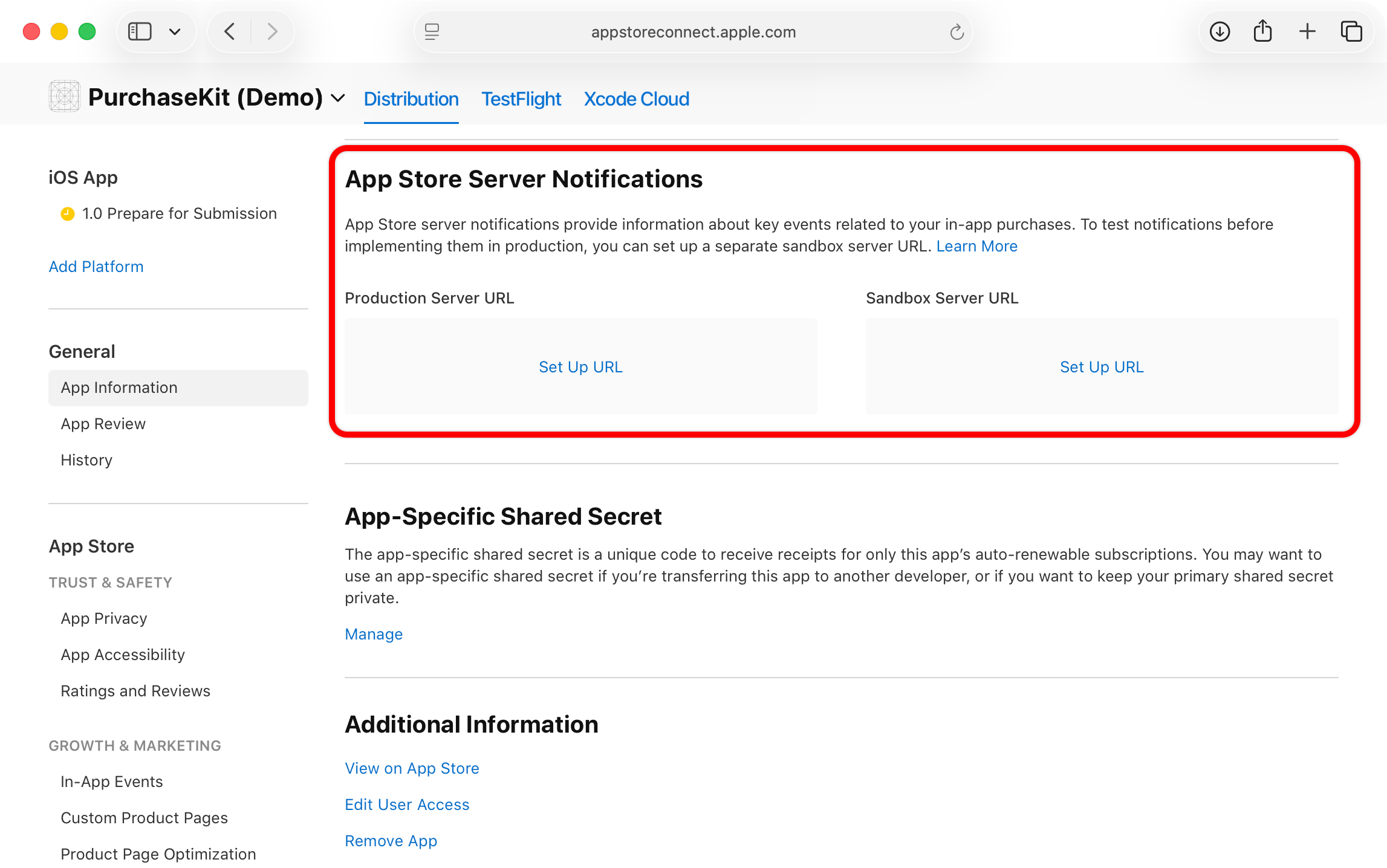
For Production Server URL, enter:
https://purchasekit.com/webhooks/apple
For Sandbox Server URL, enter the same URL (PurchaseKit handles both environments)
Click Save
Next step
Test locally with StoreKit Configuration files.